
Search
NoteCove provides powerful full-text search powered by SQLite FTS5, plus semantic search for finding content by meaning.
Global Search
Search across all your notes instantly:
Basic Search
- Press
Cmd+Shift+F/Ctrl+Shift+F - Type search query
- Results appear instantly
- Click result to open note
Search Results
Each result shows:
- Note title: Name of the note
- Match preview: Surrounding context with highlighted match
- Folder: Location in folder hierarchy
Filtering by Tags
Use the Tag Panel to filter search results:
- Click tags in the Tag Panel to filter notes
- Blue (include): Show only notes WITH this tag
- Red (exclude): Show only notes WITHOUT this tag
- Multiple tags use AND logic (all include tags must match, all exclude tags must not match)
Filtering by Folder
- Select a folder in the sidebar to narrow search to that folder
- Search respects folder selection
Semantic Search
Beyond keyword matching, NoteCove supports semantic search powered by advanced ML models. Find content by meaning, not just exact words.
Semantic search can discover:
- Content similar to what you’re reading — across both notes and tasks
- Related concepts even when different vocabulary is used
- Connections you might miss with keyword-only search
Find in Note
Search within the current note:
- Press
Cmd+F/Ctrl+F - Type search query
- Press
Enterto jump to next match - Press
Escto close search
Navigation:
Cmd+G/Ctrl+G: Next matchCmd+Shift+G/Ctrl+Shift+G: Previous match- Match count shown in search box
Options:
- Highlight matches: All matches highlighted in yellow
- Case sensitivity: Toggle with button in search box
Full-Text Search (FTS5)
NoteCove uses SQLite FTS5 for blazing-fast search:
Features
Fast:
- Search thousands of notes instantly
- Optimized indexing
- Incremental updates
Smart:
- Relevance ranking
- Prefix matching
Query Syntax
Simple queries:
search term          # Find "search" and "term"
"exact phrase"       # Find exact phrase
Automatic Indexing
NoteCove automatically indexes:
- Note titles
- Note content
- Tags
- Folder names
Incremental updates:
- Changes indexed in real-time
- No manual rebuild needed
- Background processing
Search Best Practices
Writing Searchable Notes
Use descriptive titles:
- ✅ “Meeting Notes: Project Alpha - 2024-01-15”
- ❌ “Notes”
Add tags:
- Tag with relevant keywords
- Use consistent tag naming
Include context:
- Write full sentences
- Use proper terminology
- Add dates and names
Search Tips
Be specific:
- Use exact terms when possible
- Combine multiple keywords
- Use quotes for phrases
Use filters:
- Narrow by folder or tag
- Combine multiple filters
Try variations:
- Different word forms
- Synonyms
- Abbreviations
Troubleshooting
No Results Found
Try:
- Check spelling
- Remove filters
- Try fewer keywords
Wrong Results
Try:
- Use quotes for exact phrases
- Add more keywords
Advanced Search
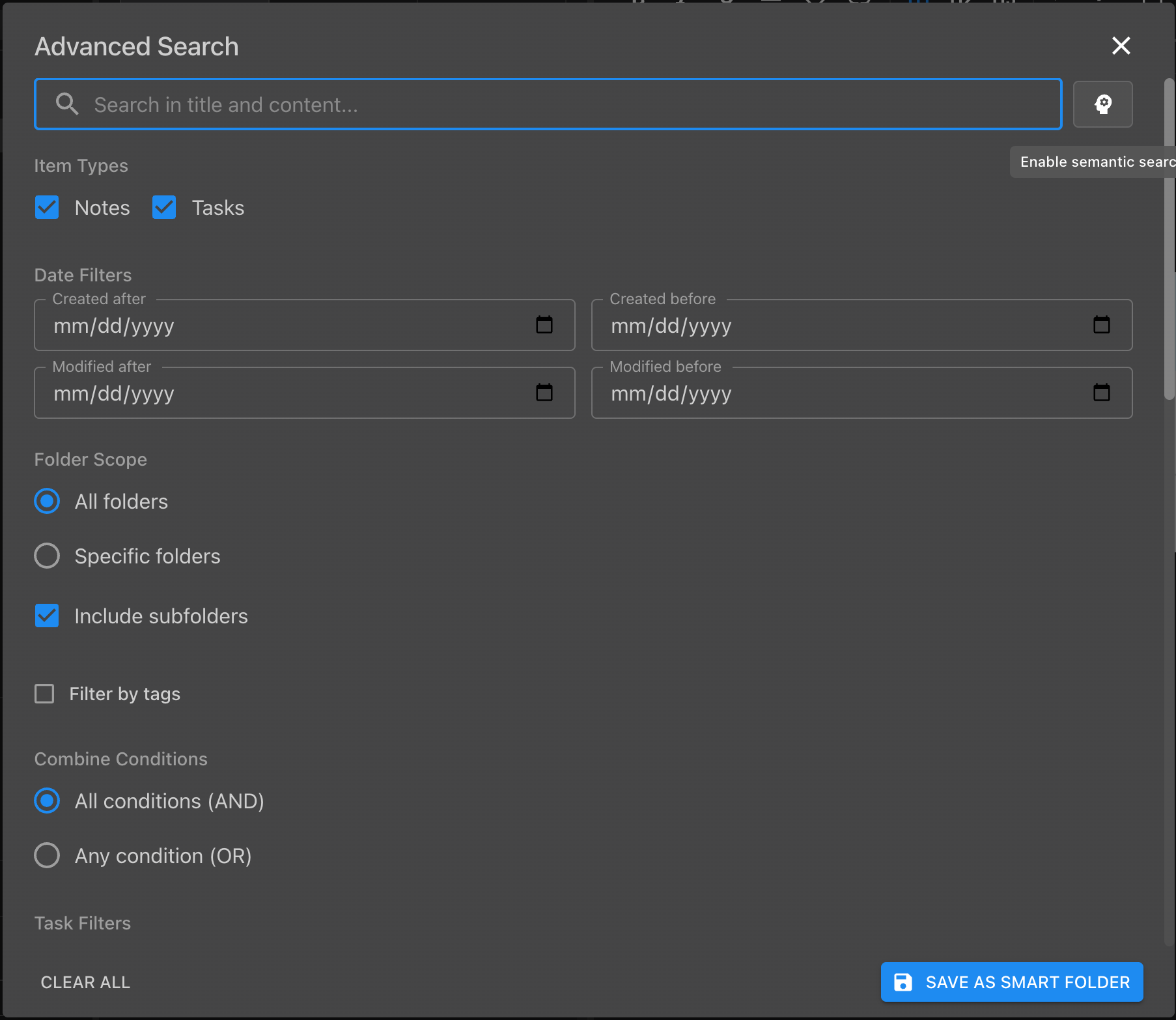
For more precise searches, open the Advanced Search dialog:
- Keyboard shortcut:
Cmd+Alt+F/Ctrl+Alt+F - Menu: Edit → Advanced Search
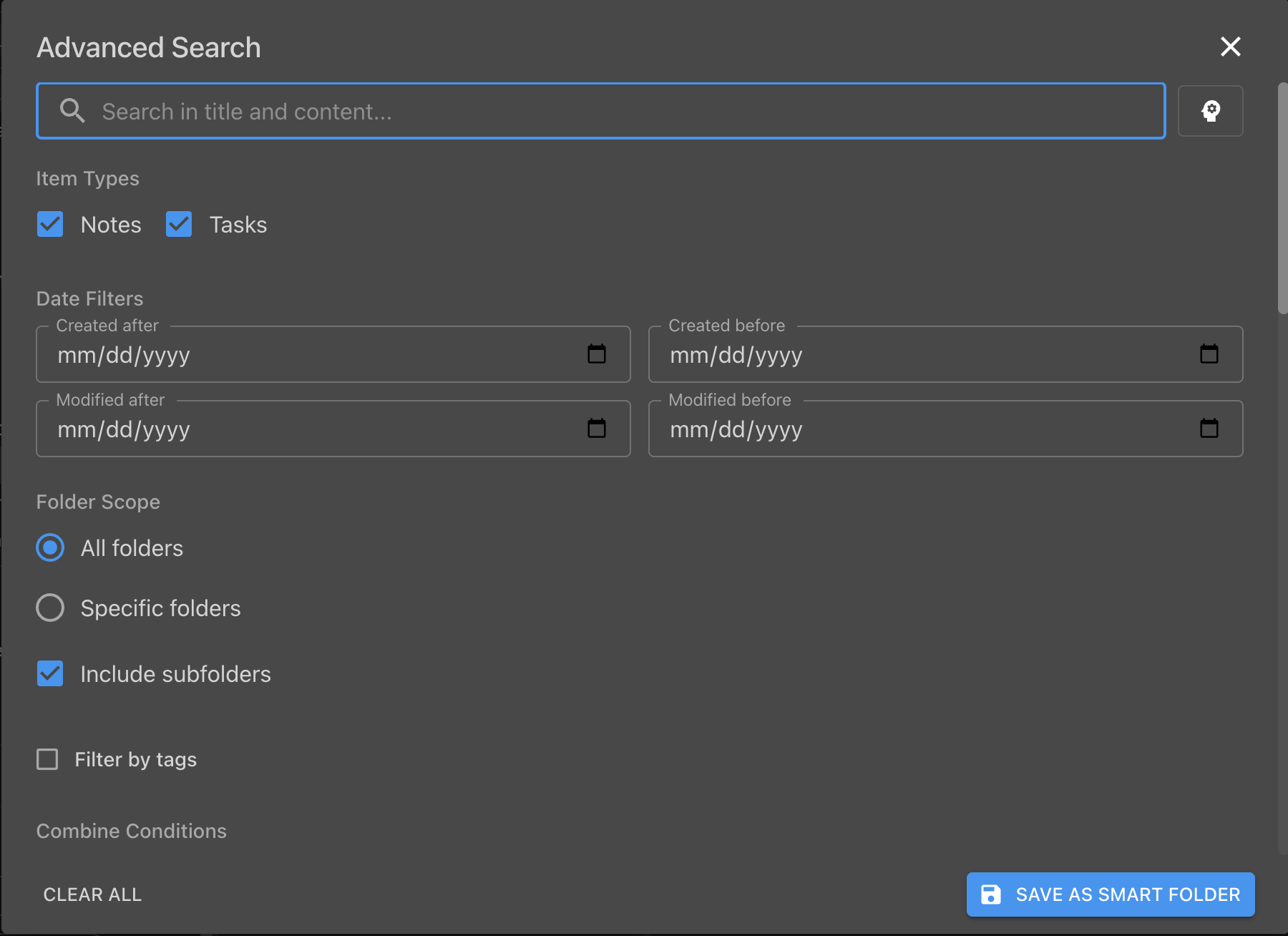
Filters
Advanced Search lets you narrow results by:
- Item type: notes, tasks, or both
- Date range: created after/before, modified after/before
- Folder scope: all folders, or specific folders (with optional subfolder inclusion)
- Tags: filter to notes with specific tags
All conditions combine with AND logic.
Save as Smart Folder
Any Advanced Search can be saved as a Smart Folder — click Save as Smart Folder to name it and have the results update automatically as your notes change.
Semantic Search
Requires setup. Semantic search uses a local embedding model. Enable it in Settings → Advanced and allow time for the initial index build.
Semantic search finds notes that are conceptually related to your query — even if they share no keywords with it.
Enabling semantic search in Advanced Search
- Open Advanced Search (
Cmd+Alt+F/Ctrl+Alt+F) - Click the brain icon (✦) next to the search box to enable semantic mode
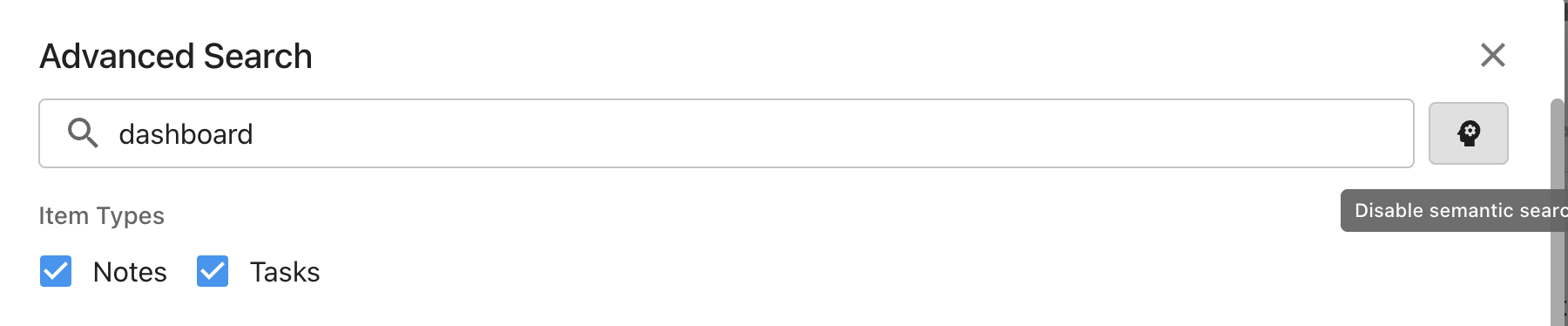
When active, results are ranked by semantic similarity to your query rather than keyword match frequency.
CLI semantic search
The notecove CLI exposes two semantic search commands:
notecove search related <noteId>   # Notes related to a specific note
notecove search similar <query>    # Notes related to a free-text query
Checking index status
Open Edit → Semantic Index Status (or search the menu for “semantic”) to see how many notes have been indexed and whether the model is still processing.