
Pomodoro Timer
NoteCove includes a built-in Pomodoro timer as a status bar widget. Track your focus sessions directly alongside your notes.
Status Bar Widget
The Pomodoro timer appears in the status bar as a compact chip showing:
- Countdown — seconds remaining in the current phase
- Phase indicator — Work or Break
- Live word count — words written during the current session
Session Controls
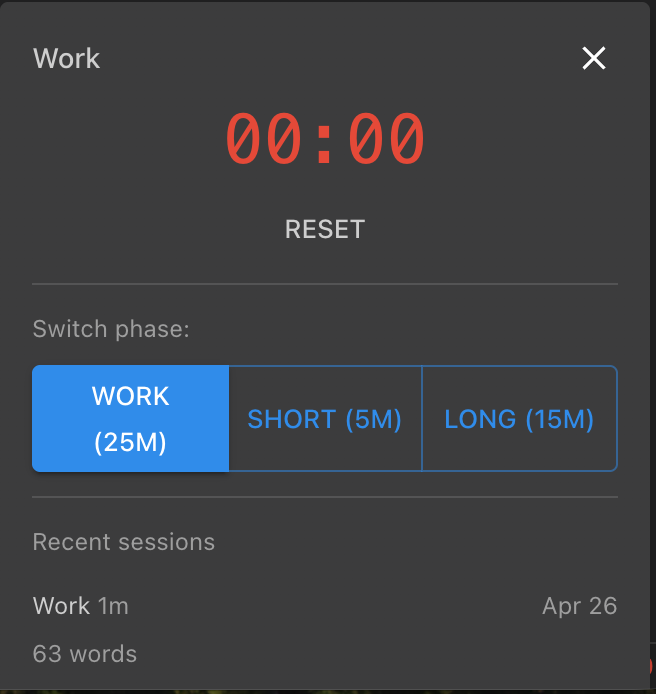
Click the timer chip to open a popover with controls:
- Start — begin a new work session
- Pause/Resume — pause and resume the current session
- Next Phase — advance to the next phase (work → break → work)
Configuration
Open Settings → Appearance → Pomodoro Timer to customize:
- Work duration (default: 25 minutes)
- Break duration (default: 5 minutes)
- Long break duration (default: 15 minutes, after 4 work sessions)
- Number of sessions before long break
Session History
After each session completes, a desktop notification appears. All sessions are recorded in Session History, viewable from the status bar or Settings.
Platform Support
| Feature | Desktop | iOS |
|---|---|---|
| Timer widget | Yes | No |
| Session history | Yes | Coming soon |
| Notifications | Yes | Coming soon |
| Settings | Yes | Coming soon |
Tips
- Use the timer while editing a note to track focus time per document
- Break durations automatically trigger between work sessions
- Long breaks kick in after the configured number of consecutive work sessions
- The word count helps you measure writing throughput per session