
Backlinks
The Backlinks panel shows every note and task that links to the current note, making it easy to navigate your connected knowledge. When semantic search is enabled it also surfaces notes that are conceptually related — without requiring an explicit link.
Desktop only. The Backlinks panel is available in the NoteCove desktop app.
Opening the Backlinks panel
- Menu: View → View Backlinks
- The panel opens on the right side of the editor for the current note
What the panel shows
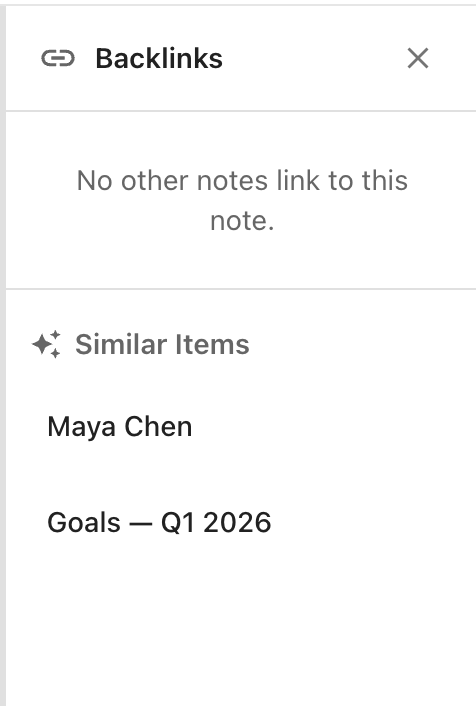
Backlinks
The top section lists every note or task that contains a wikilink ([[Note name]]) pointing to the current note. Each entry shows:
- The title of the linking note or task
- For tasks: the task slug (e.g.
PROJ-42) rendered in its state colour
Click any entry to navigate to that note or task.
If nothing links to the current note, the section shows “No other notes link to this note.”
Similar Items
Requires semantic search. The Similar Items section only appears when the semantic index is enabled and the current note has been indexed.
Below the backlinks list, a Similar Items section (marked with ✦) shows notes that are semantically related to the current note — ranked by conceptual similarity rather than keyword overlap. This is useful for surfacing connected ideas you may not have explicitly linked yet.
Learn how to enable semantic search →