
Pomodoro Timer
NoteCove includes a built-in Pomodoro timer in the status bar. It tracks your focused work sessions and measures how many words you write during each interval — no separate app required.
Desktop only. The Pomodoro timer is available in the NoteCove desktop app.
The timer chip
When the Pomodoro timer is enabled, a timer icon appears in the status bar at the bottom of the window.
While a session is running, the chip shows the countdown and — during work phases — the live word count for that session:

Click the chip at any time to open the timer controls.
Phases
The Pomodoro technique alternates focused work with short breaks. NoteCove supports three phases:
| Phase | Default duration | Status bar colour |
|---|---|---|
| Work | 25 min | Red |
| Short Break | 5 min | Green |
| Long Break | 15 min | Blue |
You control phase transitions manually — the timer notifies you when a phase ends and waits for you to advance.
Controls
Clicking the timer chip opens a popover with:
- Duration field — override the duration for the current session before starting
- Start — begin the current phase
- Pause / Resume — pause a running timer and pick it back up
- Reset — return to idle for the current phase
- Switch phase — jump directly to Work, Short Break, or Long Break
Word count tracking
During Work phases, NoteCove measures words typed in the active note from the moment you start the timer. The live count appears next to the countdown chip and in the popover. It resets when you start a new session.
Phase-end notifications
When a phase completes, a banner notification appears:
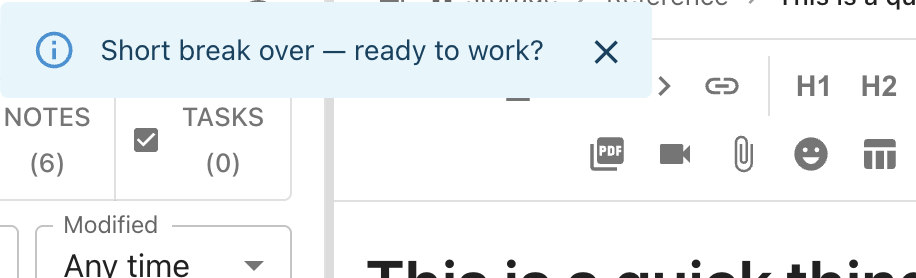
Click the notification or the timer chip to advance to the next phase.
Session history
The timer popover shows a history of completed sessions for the current storage directory, including the phase, duration, and words written.
Configuration
Enable or disable the timer
The Pomodoro timer is enabled by default. To hide the chip entirely:
- Open Settings (
Cmd+,/Ctrl+,) - Go to Appearance
- Toggle Show Pomodoro timer
Adjust durations
To change the default duration of any phase:
- Open Settings → Appearance → Pomodoro Timer
- Set the Work, Short Break, and Long Break durations in minutes
Duration changes take effect the next time you start a session. You can also override the duration per-session using the duration field in the timer popover.