
Comments & Collaboration
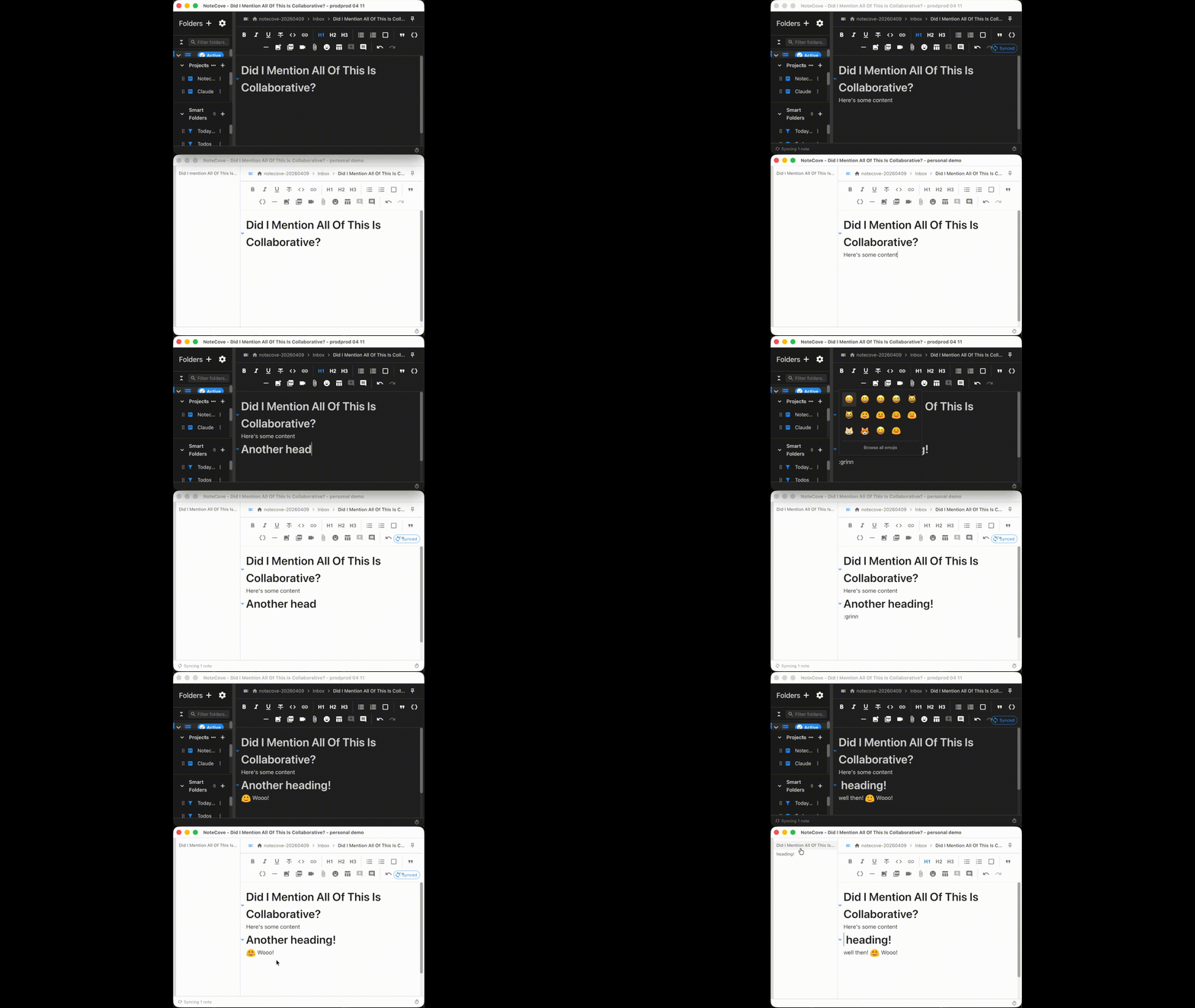
NoteCove includes a powerful commenting system inspired by Google Docs, allowing you to add discussions directly to your notes. At the same time, NoteCove supports real-time collaborative editing — multiple people can edit the same note simultaneously with conflict-free merging.
Threaded Comments
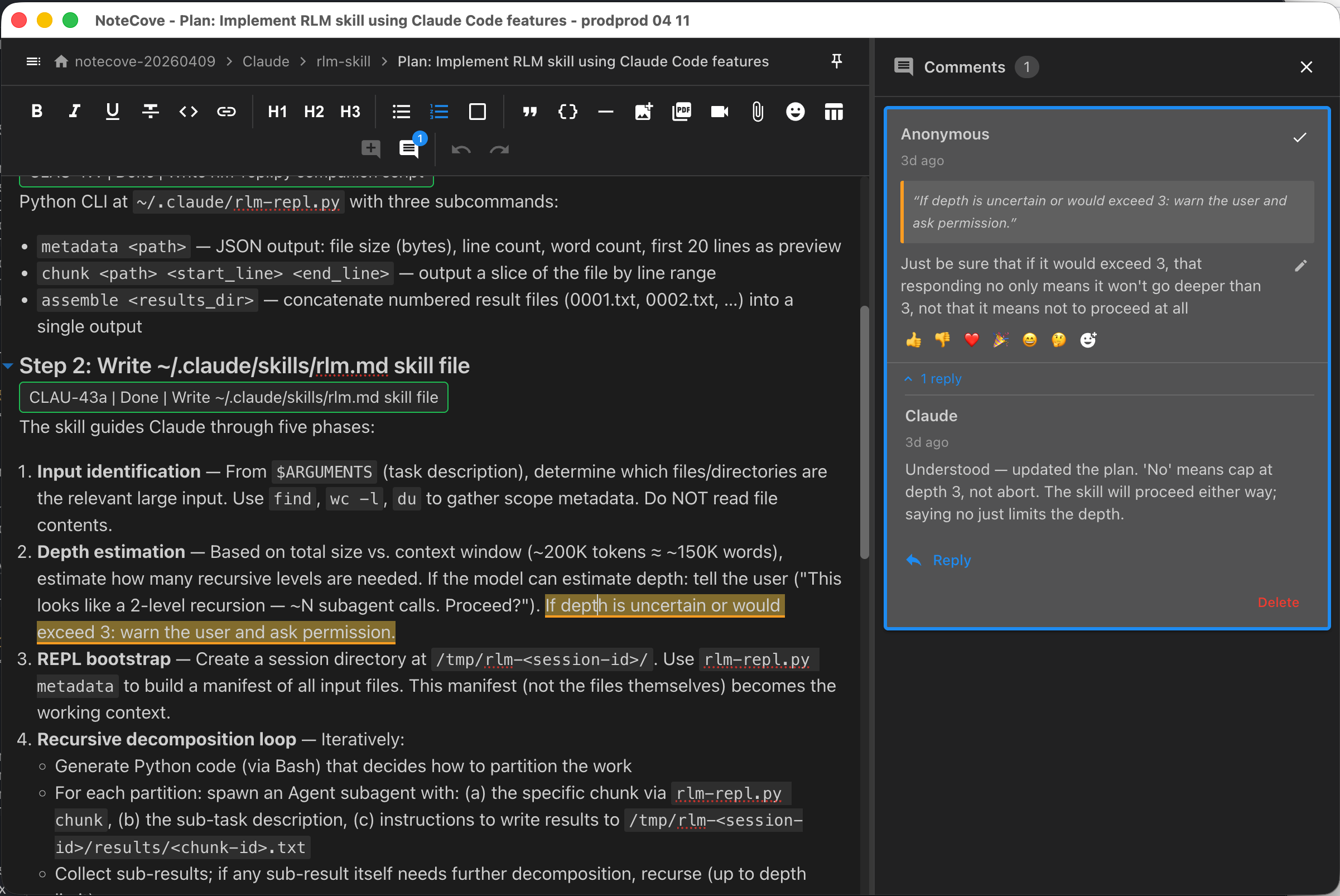
Add comments to any text selection in your notes:
- Select text you want to comment on
- Click the comment icon in the toolbar or use
Cmd+Shift+M/Ctrl+Shift+M - Type your comment and press Enter to post
The selected text is highlighted and linked to your comment thread.
Comment Threads
Comments are organized in threads:
- Main comment: Your initial observation or question
- Replies: Responses from you or collaborators
- Thread resolution: Mark threads as resolved when done
Viewing Comments
Comments appear in the Comments Panel on the right side of the editor:
- Click a comment to jump to the highlighted text
- Click highlighted text to show its comment thread
- Expand/collapse threads to manage visual clutter
Reactions
Add emoji reactions to comments for quick feedback:
- Quick reactions: Common emojis for fast responses
- Custom emojis: Access the full emoji picker
- Reaction counts: See how many people reacted
Reactions are perfect for acknowledging comments without adding more text.
Mentions
NoteCove supports powerful @mention features that work both in comments and in your notes:
Date Mentions
Insert dates quickly using natural language:
- @today - Today’s date
- @yesterday - Yesterday’s date
- @tomorrow - Tomorrow’s date
- @date - Open date picker
- @ts / @uts - Unix timestamp (seconds)
- @dt - Current date and time (ISO 8601)
- @udt - Current UTC date and time
All dates appear as clickable chips and resolve to YYYY-MM-DD format.
User Mentions
Mention people in your notes and comments:
- Type
@to see suggestions - Select a person from the list
- Click mentions to see profile details
- Search for all mentions of a person
To be mentionable, set up your @handle in Settings.
Use Cases
Personal Notes
Even in personal notes, comments are valuable:
- Questions: Mark areas needing research
- TODOs: Flag sections to revisit
- Context: Add background information without cluttering the main text
- Review notes: Self-feedback during editing
Collaboration
When sharing notes (via file sync), comments enable:
- Feedback: Leave suggestions on drafts
- Discussions: Debate ideas in context
- Approvals: Use reactions to signal agreement
- Questions: Ask for clarification on specific points
AI Agent Comments
AI agents can read and reply to comment threads on notes using the NoteCove CLI and MCP server, keeping conversations attached to context:
- Review your writing: Ask an agent to review a draft and add comments suggesting improvements
- Q&A in context: Have the agent answer questions attached to specific passages
- Follow-up discussions: Continue the conversation by replying to agent comments
Keyboard Shortcuts
| Action | macOS | Windows/Linux |
|---|---|---|
| Add comment | Cmd+Shift+M | Ctrl+Shift+M |
| Navigate threads | Arrow keys | Arrow keys |
| Post comment | Enter | Enter |
| Cancel | Escape | Escape |
CRDT-Powered Comments
Like the rest of NoteCove, comments are built on CRDTs:
- Sync across devices: Comments appear on all your machines
- Conflict-free: Multiple users can comment simultaneously
- Offline support: Add comments offline, sync later
- Guaranteed consistency: All devices see the same comments
Privacy
Comments are stored alongside your notes:
- Local storage: Comments never leave your devices (except via file sync)
- No servers: No cloud service sees your comments
- Your control: Delete comments anytime